Track every client with precision, without wasting time
Your clients' information is often scattered across notes, files, apps, and messages. Hexfit brings it all together so you can quickly understand any situation, follow progress, and step in at the right moment.

4,8h récupérées chaque semaine
+7 000 professionnels actifs
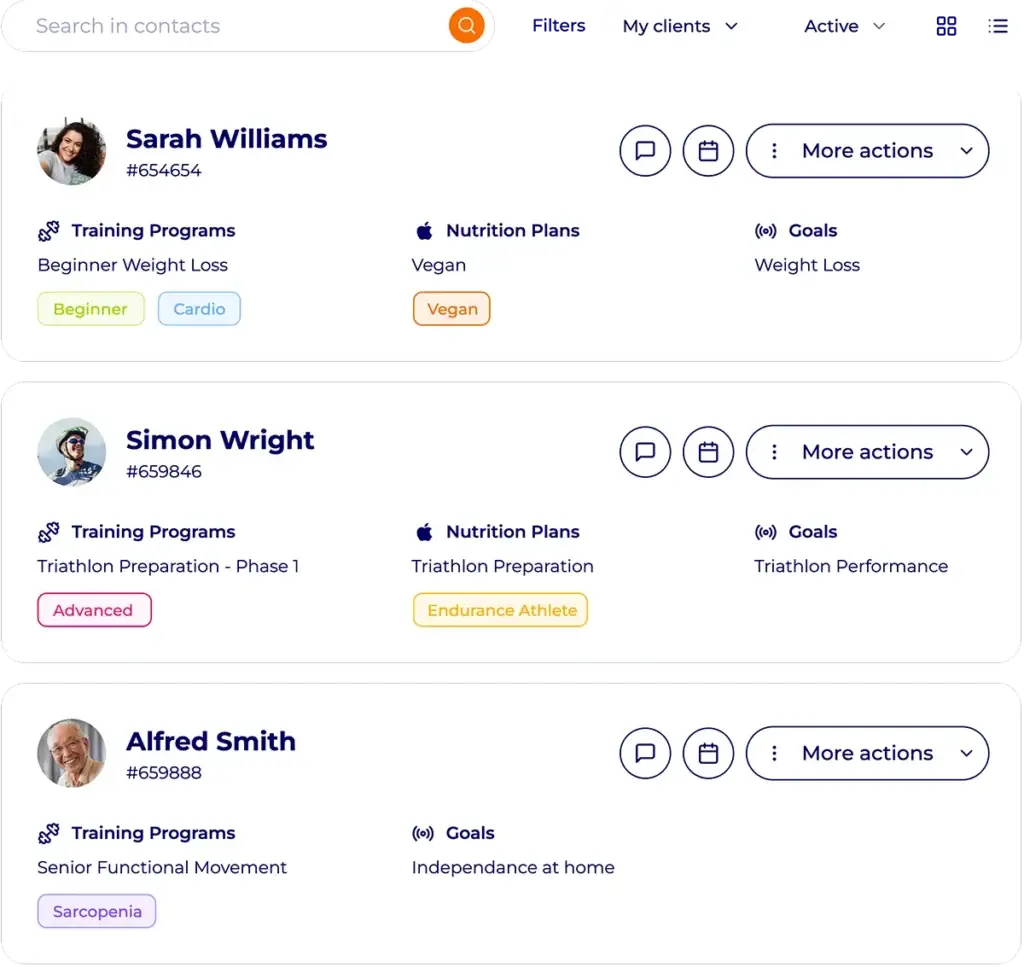
Without a structured client tracking tool, there is no professional follow-up.
Scattered information
Notes, measurements, assessments, programs, messages, documents, watch data… There is a lot to manage. It is hard to get a complete view of the client.
Tracking that relies too much on your memory
Without a structured history, finding out what has been done, what is planned, or what needs adjusting since the last exchange is nearly impossible. The risk of errors and oversights is high.
Weak signals that are hard to spot
A drop in motivation, a goal worth celebrating, a program nearing its end, or an unusual shift in the data can call for action. But you still have to catch it at the right time.
Tracking every client in Hexfit, a real professional pleasure
Hexfit organizes tracking around one simple principle: bring together the useful information, make it easy to read, and help you make the best decisions.
One file. The client’s whole story.
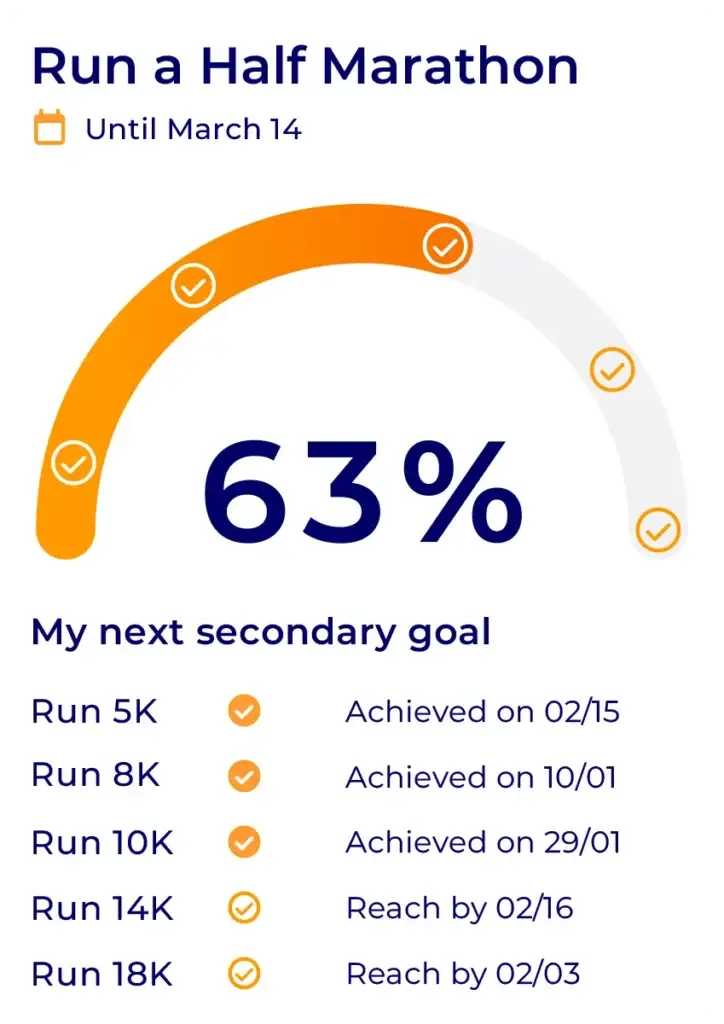
One client. One goal.
It all starts with defining a goal and the sub-goals that lead to it. From day one, set the client’s goal and track the data that shows progress toward it.
Your client sees their progress visually in the mobile app, because that is what keeps them going for the long run.
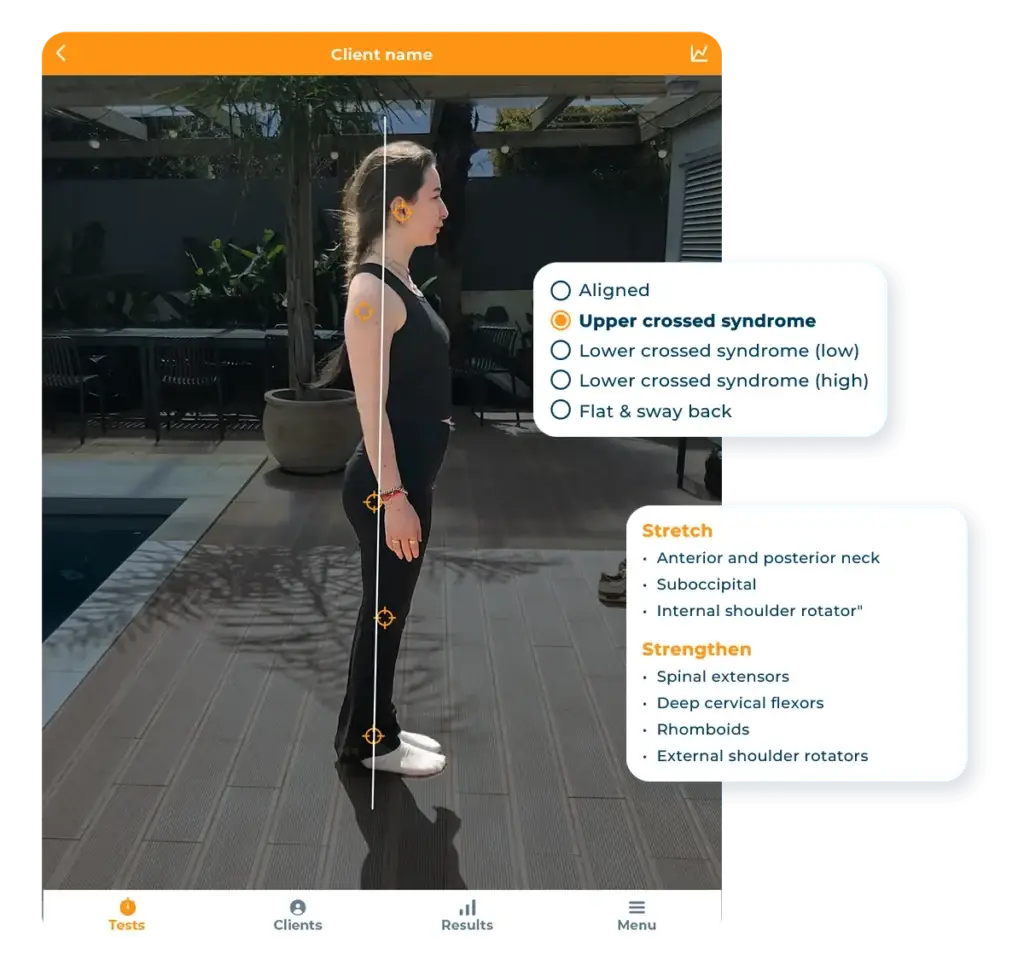
Tests, assessments, and alerts: measure before you adjust
Run your assessments and tests directly in Hexfit or Hexfit Lab to start a program or reassess, without the hassle, thanks to automatic questionnaires, watch syncing, session feedback, or automatic data collection.
With Hexfit Lab, run postural, biomechanical, endurance, and body measurement assessments, and feed that data straight into your tracking.
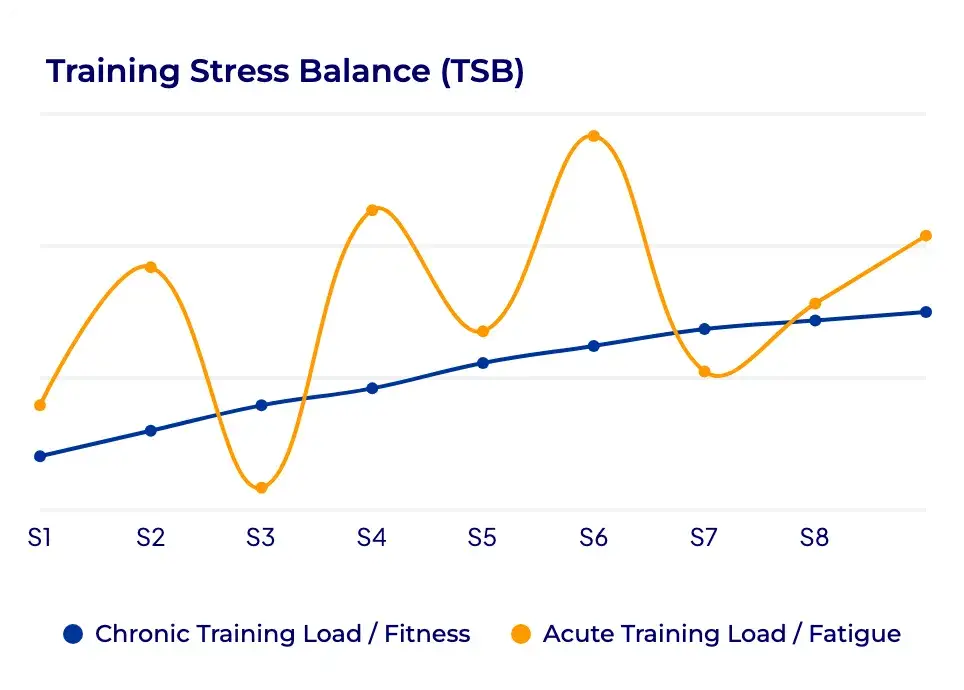
Watch connectivity
Hexfit acts as your data hub. Connect your clients’ watches to your software to centralize all their training, step, and sleep data.
Combined with the rest of Hexfit’s data, you spot the key markers of their progress, shown as graphs that boost engagement and results.
Stay proactive with alerts
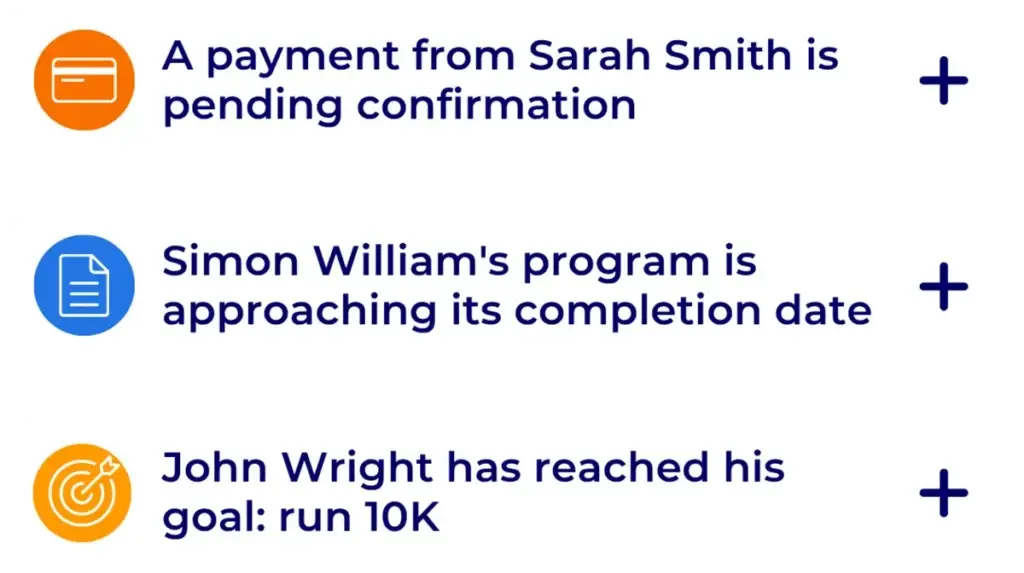
Since Hexfit centralizes what needs your attention, just like an assistant would, you can spot:
- drops in motivation
- goals reached
- programs nearing their end
- a client’s message or feedback
at a glance, without going through every file one by one. You become proactive, and it changes everything.
Document your notes with a simple voice memo
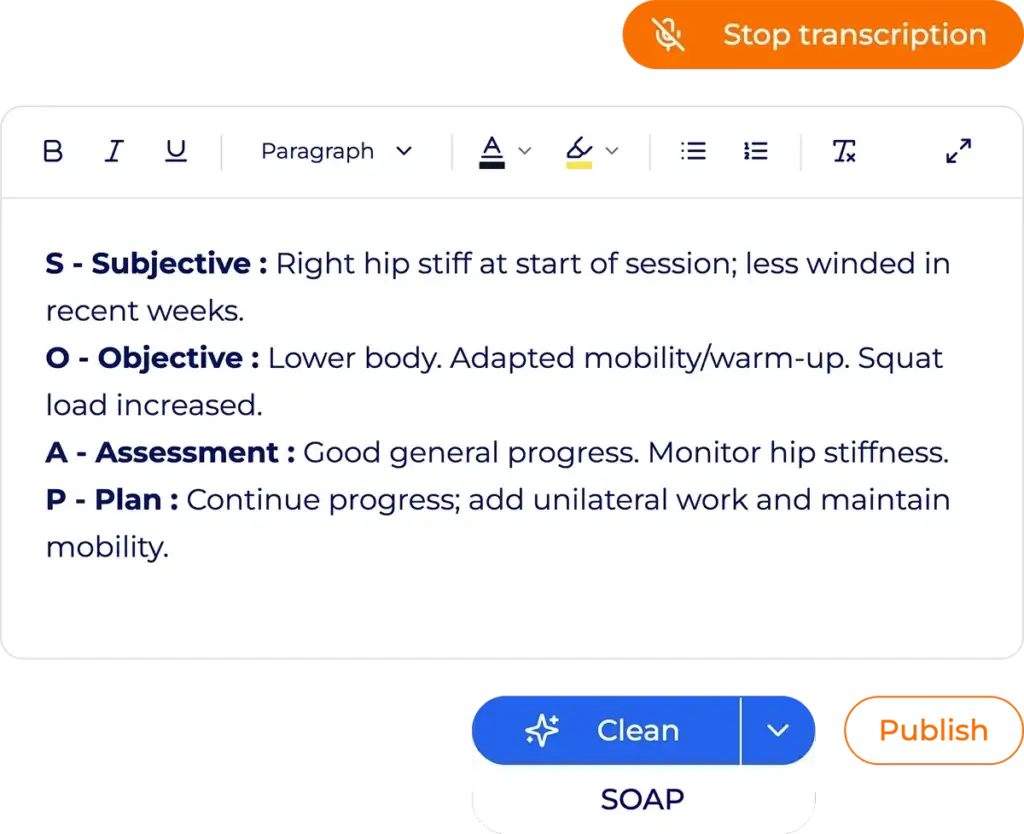
After an appointment, just dictate your observations. Hexfit transcribes and structures them, notably in SOAP or SOAPIE format, and adds them to the client’s file. The result: your files stay complete, up to date, and fully professional, without the long typing.
What client tracking with Hexfit changes in your day-to-day practice
A clear view of every client
You know it all: what has been done for each client, what is changing, and what deserves your attention. Less time spent searching for information, more time putting it to use.
Tracking that is truly individualized
Goals, data, assessments, notes, and history are specific to every person you coach.
Proactive follow-up
Alerts, data, and your informed judgment let you see trends coming before they turn into problems.
A more efficient day-to-day
Centralization, automations, templates, and structured voice notes cut down repetitive work and save you real time, without lowering the quality of your service.
Client tracking in Hexfit, built for your practice
Sports coach or personal trainer
Structuring your tracking in Hexfit lets you offer a premium service and save time.
Centralize the goals, programs, measurements, test results, and watch data for every client, and follow their progress remotely or by their side. Show them graphs that keep them engaged in their program and help them see the full value you bring.
Strength and conditioning coach
Prescribe and analyze your athletes’ progress with surgical precision.
Combine assessments, performance data, planning, programming, intervention history, and automated feedback to track your athletes’ progress over time.
Sports health and rehabilitation professional
Structure the information, assessments, goals, notes, and data for your clients or patients in a shared, organized file.
Hexfit also lets you share a file with several professionals, with visibility levels set according to the access granted.
Ce que disent les professionnels qui utilisent Hexfit pour gagner en productivité
Frequently asked questions about client tracking in Hexfit
What can you find in a Hexfit client file?
The client file in Hexfit brings together: the general information sheet, medical history and injuries, goals, notes, documents, assessments, all types of data (from sessions, manual entry, as well as connected watches or sensors), programs, nutrition plans, the calendar, and interventions.
Can you track a client's progress with graphs?
Yes. The data collected in Hexfit can be tracked over time and displayed as graphs. Graphs can also be shared with the client.
Can you create your own tests or assessments?
Yes. Hexfit offers a large library of ready-to-use tests and documents, and also lets you create custom documents and data fields to fit your way of working. Our customer support team is there to help you design your own protocols, while linking them to structured data, so you can generate graphs from them too.
How do you know what needs your attention across all your tracking?
The dashboard called “today” gathers all the tasks and information that need your attention: tasks, drops in motivation, goals reached, programs nearing their end, or anything else you want to keep an eye on.
Can my clients enter their own data?
Yes. From the client app, they can enter certain data and fill out the documents or forms you send them. The information they enter is added to their professional file as structured data whenever the field filled in is a data field. It is then automatically logged in the graphs that use that data.
Can a client file be shared with other professionals?
Yes. A file can be shared with colleagues or outside professionals, with visibility levels that control what each person can view or edit.
Related features

Hexfit Lab, your physical testing hub
Run your tests and assessments directly in Hexfit to measure every client’s progress.
Fred, your AI assistant
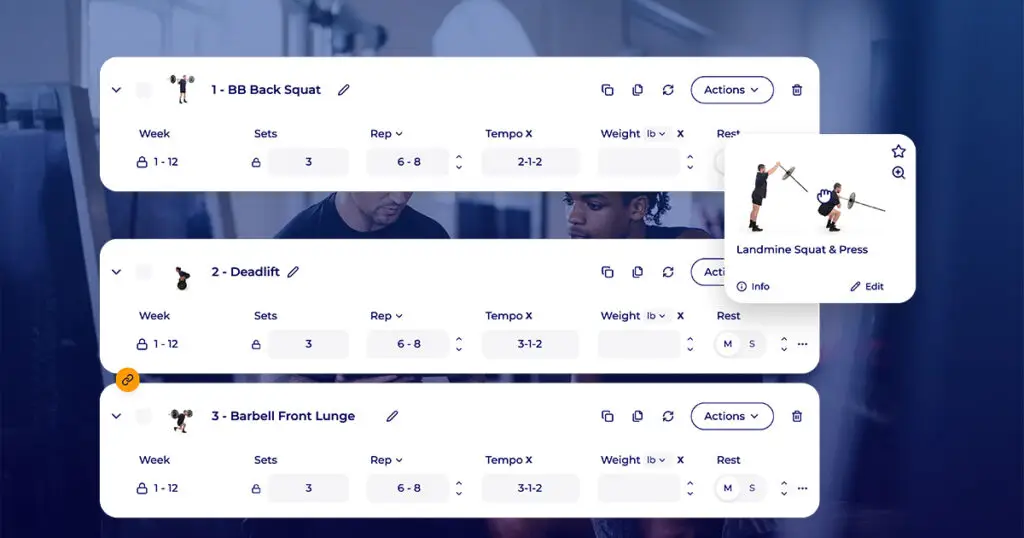
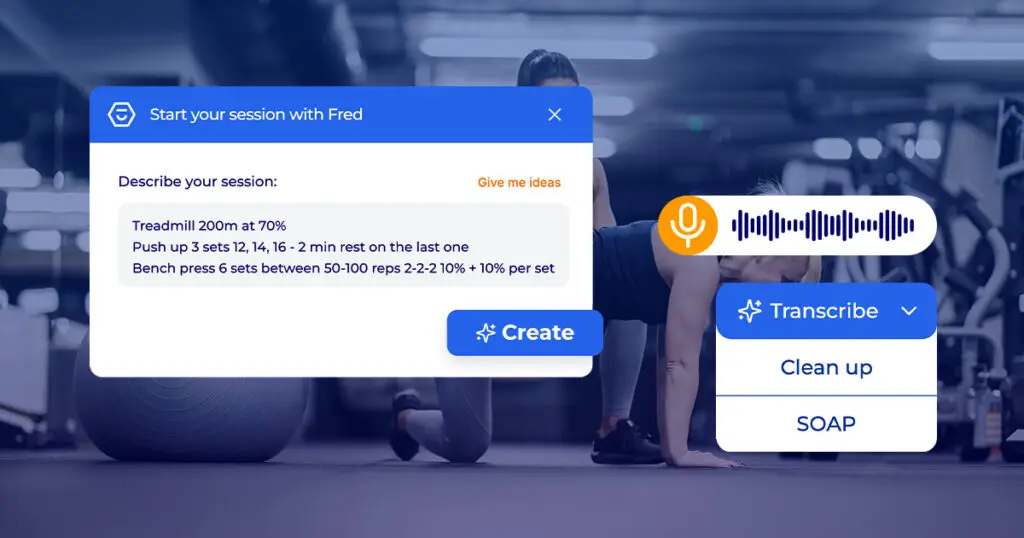
Your assistant that generates programs, flags important signals, and structures your voice notes.