Build professional programs in minutes

Building a quality program takes forever. Hexfit organizes everything in a few clicks, with AI that helps you generate the session exactly the way you want it.


+13 000 exercises

+7 000 active professionals

+300% client engagement
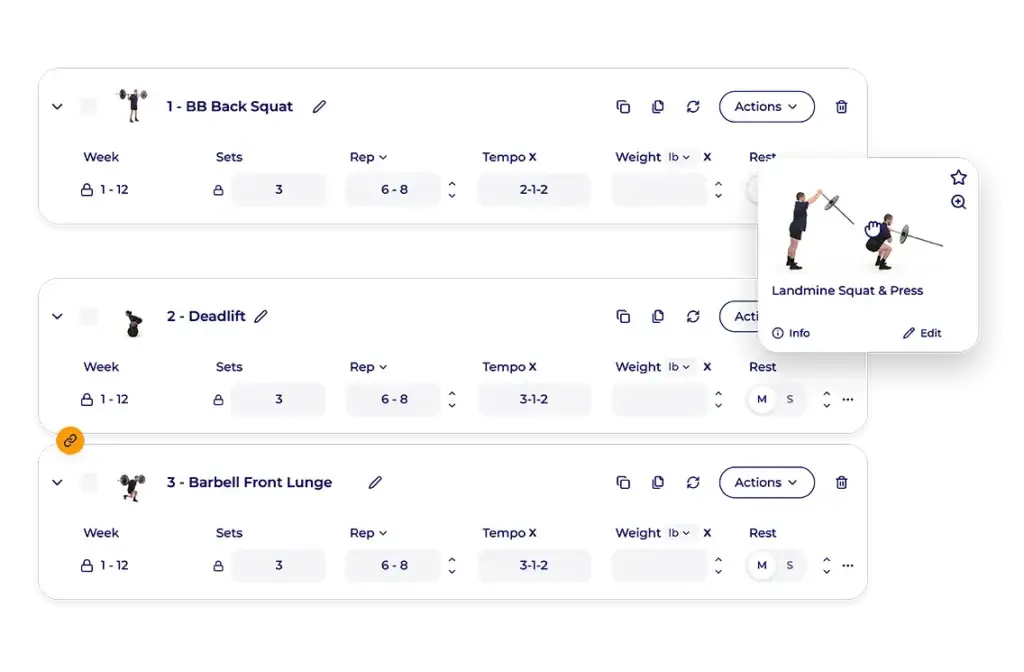

Hexfit drag-and-drop workout builder showing a trainer reordering exercises like squats, deadlifts, and lunges

What personal trainers and strength coaches face without a dedicated tool

Hours spent building plans in Excel, Word, or on paper

Copy-pasted programs that don't reflect the client's real needs

No organized personal library: you're stuck searching for what you've already done

How the workout builder works in Hexfit
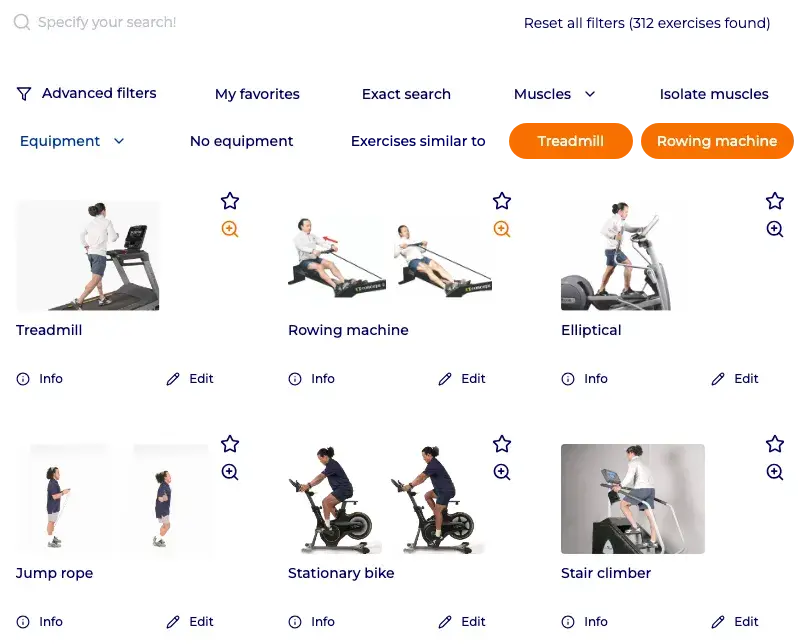
A library of more than 13,000 exercises, one of the largest available

Every exercise includes an image, a video, and a clear description. Filter by muscle group, equipment, movement, or goal, add your favorites, or create your own custom exercises and sessions.

A drag-and-drop session builder, intuitive from the first use

Drag your exercises into the session and reorder them instantly. Apply the same sets, reps, and rest times to several exercises in one click, or duplicate an entire program to assign it to a group of clients, all from the same interface.

Hexfit drag-and-drop workout builder showing a trainer reordering exercises like squats, deadlifts, and lunges

AI-powered session generation: you dictate, Hexfit structures it

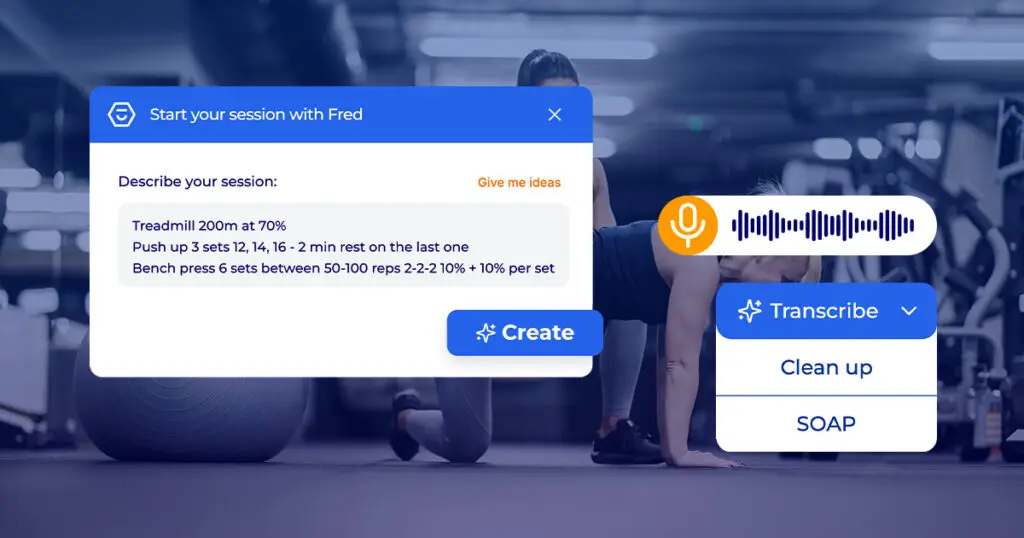
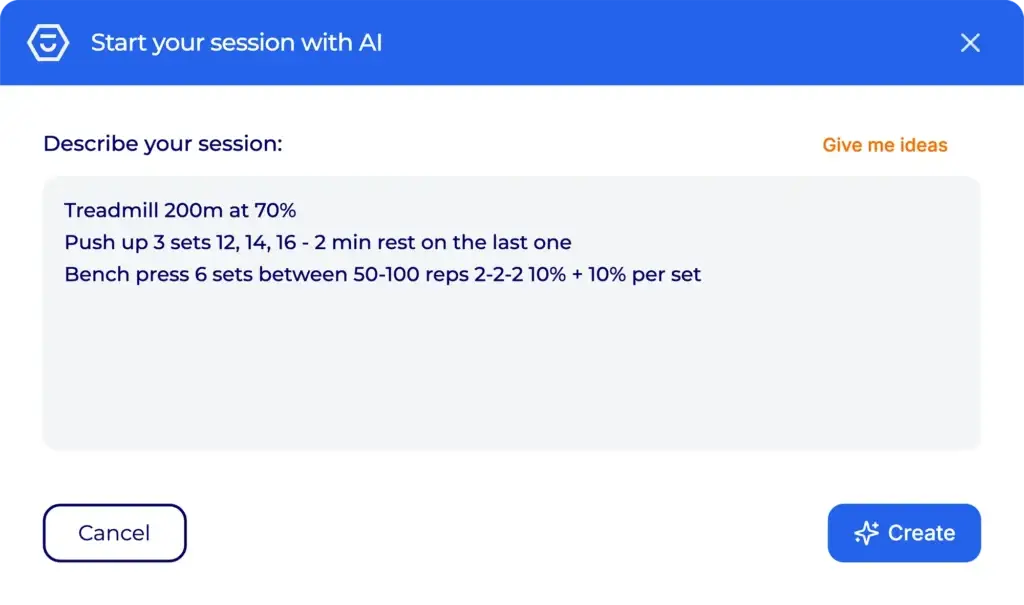
Describe your session in plain language: circuit type, warm-up, training, and cool-down sections, load progression. The AI structures an interactive session ready to send, calculations included. You stay in control: you adjust, you approve, you send it.

Hexfit AI popup letting a trainer describe a session in plain text to auto-generate it

The creation assistant: exercise suggestions tailored to each client

Based on exercises you’ve already selected, the AI suggests variations tailored to the client’s goal, level, and context, so you can diversify your programs effortlessly.

Video integrations and an interactive experience for your client

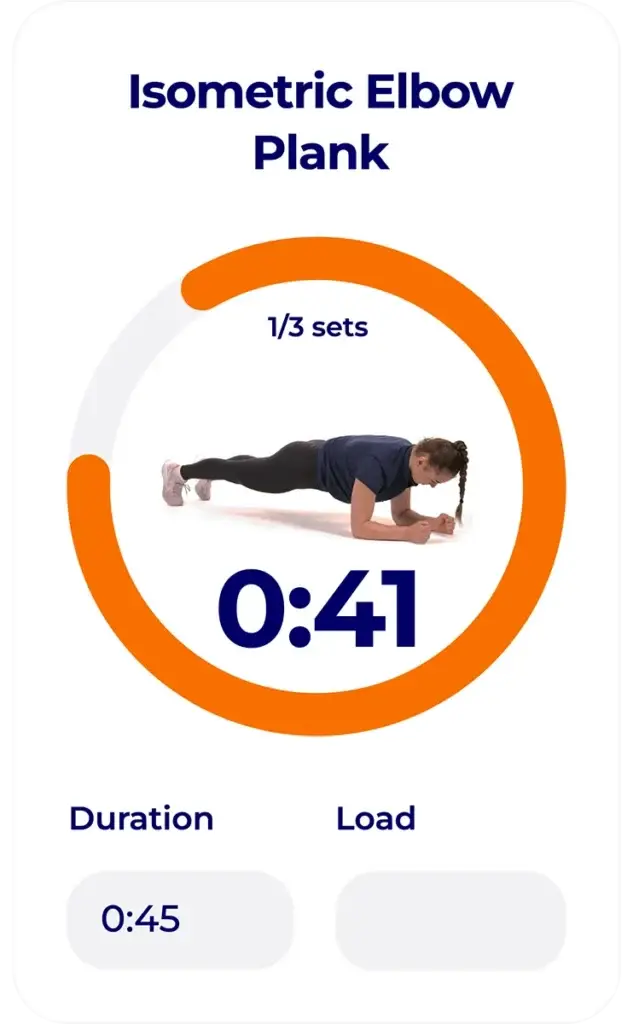
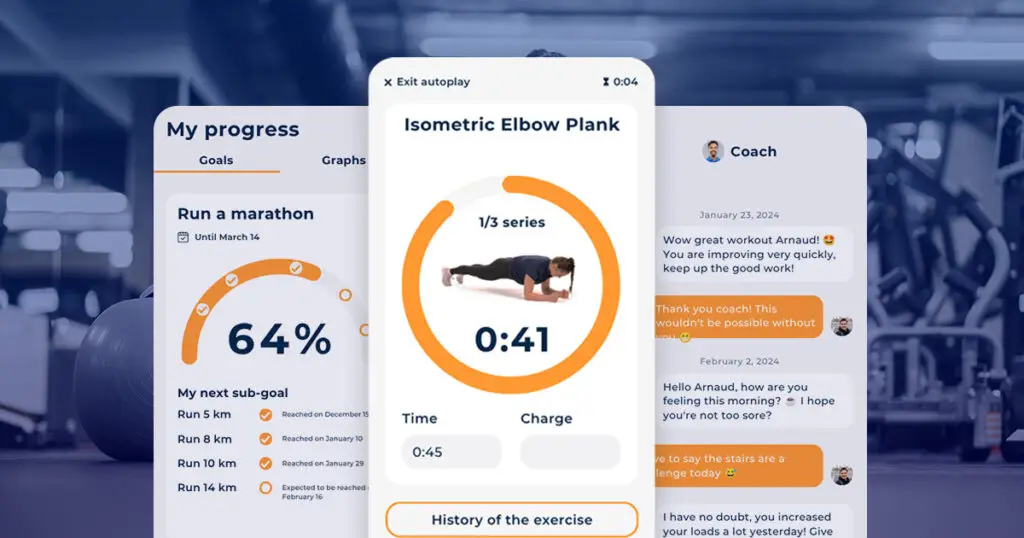
Embed your YouTube or Vimeo videos directly in the exercises. Your client receives the program in Hexfit Go, with autoplay, a timer, and audio cues: they follow the session exactly as you designed it.

Screen from the Hexfit Go mobile app showing a circular timer for an isometric elbow plank exercise, set 1 of 3, with time and load

What the workout builder changes in your day-to-day practice

Clear, motivating sessions for your clients, a full overview for you

A personal library that keeps growing, so you never start from scratch

4,8h freed up every week, to reinvest with your clients
Building programs based on your type of practice

Independent personal trainer

You manage 20 to 50 clients with very different profiles. Hexfit lets you build truly personalized programs without spending your evening on it.

You start from a template, adjust it in a few clicks for the client’s profile, and send it.

Your clients receive a clear, illustrated, interactive plan. They notice the difference from a PDF.

Strength and conditioning coach in a facility or club

You work with periodization cycles, distinct phases, and groups of athletes.

Drag-and-drop and quick duplication let you roll out a base program across all your athletes, then individualize it where it matters.

The AI generator can structure complex cycles in seconds from your instructions.

Physiotherapist or rehabilitation specialist

Your rehabilitation or adapted physical activity programs demand rigor and precision.

Hexfit gives you access to an exercise library filterable by position, movement, and goal, with videos that let your patients reproduce the movements correctly at home.

You create it once, and easily adapt it as the patient progresses.

What professionals say about building programs with Hexfit

Your questions about building programs in Hexfit

How long does it take to create your first program in Hexfit?

On average, creating a first program takes 4 minutes in Hexfit. Getting used to the interface is fast: the drag-and-drop logic is intuitive, and exercises are accessible through clear filters from your very first use.

AI is an acceleration tool, not a replacement. It generates a structured session from your plain-language instructions, which you can then freely adjust before sending it to your client. Professional supervision remains essential: the tool is designed for professional use only.

Yes. You can create your own exercises in Hexfit and add videos from YouTube or Vimeo (even private ones) just by pasting the URL. Your custom content is added alongside the standard exercise library.

Yes. In a few clicks, you duplicate an existing program, adjust it if needed, and assign it to a group or several clients at once. This is especially useful for trainers working with groups that share similar goals.

Yes. As soon as you publish a program, your client finds it in Hexfit Go, the Hexfit mobile app. They can turn on Auto-Play mode, which runs through exercises automatically with a timer and audio cues, and leave you feedback at the end of the session.

You can submit a request directly to the Hexfit team. The exercise is usually added within 48 hours. Every month, more than 60 new exercises join the library thanks to user requests.

Related features

Hexfit Go app screens showing goal progress tracking, a timed exercise, and messaging with the coach

Hexfit Go, the client mobile app

The place where your clients live their programs every day.

Hexfit window to create a workout session with Fred AI from a free-text description or a transcribed voice note

Fred, the Hexfit AI

The AI assistant that also generates SOAP notes and proactive alerts.

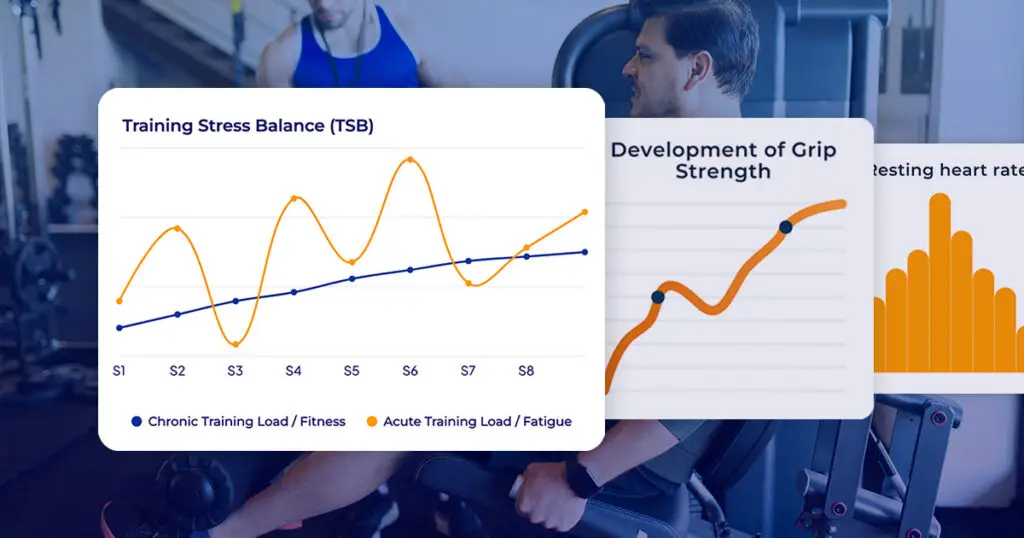
Hexfit performance tracking charts: freshness index, grip strength evolution, and resting heart rate

Analytics and tracking

Use session data to fine-tune your programs.